


When it comes to setting up an efficient and functional workspace, a computer desk with a built - in bookshelf is a popular choice. As a computer desk supplier, I've encountered numerous inquiries about the capacity of these built - in bookshelves. In this blog, I'll delve into the factors that determine the capacity of a built - in bookshelf on a computer desk and offer some insights for customers looking to make an informed purchase.
Understanding the Dimensions of the Bookshelf
The most obvious factor influencing the capacity of a built - in bookshelf is its physical dimensions. This includes the height, width, and depth of the individual shelves as well as the overall bookshelf unit.
Height
The height of the bookshelf determines how many rows of books or other items can be stacked vertically. Standard bookshelf heights can vary widely. For a typical computer desk with a built - in bookshelf, the height might range from 2 to 4 feet. A taller bookshelf can accommodate more rows of books, but it's also important to consider the ease of access. If the top shelves are too high, it may be difficult to reach items without a step - stool, which can be inconvenient.
Width
The width of the shelves dictates how many books can be placed side by side. A wider shelf can hold more books horizontally. However, extremely wide shelves may cause books to slump or fall over if they are not properly supported. Most built - in bookshelves on computer desks have shelf widths between 12 and 36 inches. A width of around 24 inches is quite common as it can comfortably hold a good number of standard - sized books.
Depth
The depth of the shelves is crucial for storing different types of items. For books, a depth of 10 to 12 inches is usually sufficient to accommodate most hardcover and paperback books without them protruding too much. If you plan to store larger items such as binders, photo albums, or file folders, a deeper shelf, perhaps 14 to 16 inches, would be more appropriate.
Types of Items to Store
The capacity of a bookshelf is not only about the physical space but also about the types of items you intend to store.
Books
Books come in various sizes, from small pocket - sized paperbacks to large coffee - table books. A standard paperback novel might be around 4 inches wide and 6 inches tall, while a hardcover textbook could be 8 inches wide and 10 inches tall. When calculating the capacity for books, you need to consider the average size of the books you own or plan to store. For example, a 24 - inch wide, 10 - inch deep, and 3 - foot tall shelf could hold approximately 30 to 40 standard paperback books if stacked neatly.
Office Supplies
In addition to books, many people use the built - in bookshelf on their computer desk to store office supplies such as pens, pencils, notebooks, and staplers. These items are usually smaller and can be stored in organizers or bins on the shelves. A well - organized shelf with small storage containers can make the most of the available space and increase the overall capacity for these types of items.
Electronics and Media
Some users may want to store electronics like external hard drives, media players, or DVDs on the bookshelf. These items often require a bit more space and may need to be stored in a way that allows for proper ventilation. For example, a DVD case is typically around 7.5 inches wide, 5.3 inches tall, and 0.6 inches thick. You need to factor in the size of these items when determining the capacity of the bookshelf.
Structural Integrity and Weight Capacity
Another important aspect to consider is the structural integrity of the bookshelf and its weight capacity.
Shelf Material
The material of the shelves plays a significant role in determining how much weight they can support. Common materials for built - in bookshelves on computer desks include particleboard, plywood, and solid wood. Solid wood shelves are generally the strongest and can support the most weight. For example, a well - constructed solid oak shelf can support several hundred pounds, while a particleboard shelf may have a much lower weight capacity, perhaps only 20 to 50 pounds per linear foot.
Shelf Support
The way the shelves are supported also affects their weight - bearing capacity. Shelves that are attached to the sides of the bookshelf with brackets or dowels are usually more stable than those that simply rest on ledges. Reinforced shelving units with additional cross - supports can handle heavier loads. If you plan to store a large number of heavy books or other items, it's essential to choose a computer desk with a bookshelf that has adequate support.
Optimizing the Capacity of the Built - in Bookshelf
As a computer desk supplier, I often offer customers tips on how to optimize the capacity of their built - in bookshelves.
Use Vertical Space
Don't just focus on filling the shelves horizontally. Utilize vertical space by using bookends to keep books upright and stacking smaller items on top of larger ones. You can also install adjustable shelves, which allow you to customize the height of each shelf according to the items you're storing.

Organize with Storage Containers
Invest in storage containers such as plastic bins, wire baskets, or fabric organizers. These can help you group similar items together and make the most of the available space. For example, you can use a small bin to store all your writing utensils or a larger basket to hold magazines.
Consider a Pneumatic Height Adjustable Desk
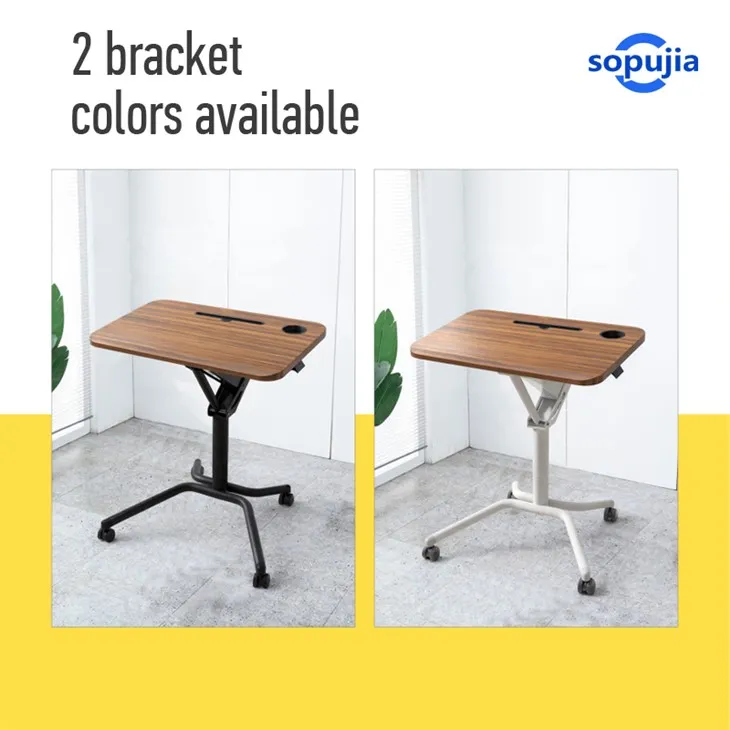
If you're looking for a more versatile workspace, a Pneumatic Height Adjustable Desk with a built - in bookshelf could be a great option. These desks allow you to adjust the height of the work surface, which can be beneficial for your health and productivity. The built - in bookshelf can still provide ample storage space while you enjoy the flexibility of an adjustable desk.
Conclusion
In conclusion, the capacity of a built - in bookshelf on a computer desk is determined by a combination of factors, including its dimensions, the types of items to be stored, the structural integrity, and how well it's organized. As a computer desk supplier, I understand the importance of providing customers with desks that meet their specific storage needs. Whether you're a student, a professional, or someone who simply loves to read, choosing the right computer desk with a built - in bookshelf can make your workspace more functional and efficient.
If you're interested in purchasing a computer desk with a built - in bookshelf or have any questions about our products, please feel free to reach out to us. We're here to help you find the perfect desk for your needs and can assist you in determining the ideal capacity for your storage requirements. Let's start a conversation about your workspace needs and how we can provide the best solution for you.
References
- "The Complete Guide to Home Office Furniture" by Furniture Experts Association.
- "Storage Solutions for Modern Workspaces" by Interior Design Magazine.
- "Materials and Their Properties for Furniture Making" by Woodworking Institute.


